
5 Best Practices for AWS Security.
AWS provides a comprehensive set of security features and services to help you protect your data and applications in the cloud. However, securing your AWS environment is a shared responsibility between you and AWS. In this article, we will discuss five best practices for AWS security that you can implement to enhance the security of your AWS environment.
1. Identity and Access Management (IAM)

IAM is a crucial service provided by AWS for managing user access to AWS resources. It allows you to create and manage AWS users and groups, and assign permissions to them using IAM policies. To ensure the security of your AWS environment, you should follow the principle of least privilege, which means granting only the minimum required permissions to users and groups to perform their tasks.
IAM also provides features such as multi-factor authentication (MFA), password policies, and integration with AWS CloudTrail for auditing and monitoring user activity. Enabling MFA for IAM users and enforcing strong password policies can significantly enhance the security of your AWS environment.
2. Network Security
AWS provides several services and features for securing your network infrastructure. The first step is to configure your Virtual Private Cloud (VPC) properly. A VPC is a private, isolated network in the AWS cloud that you can customize according to your requirements. You can use VPC security groups and network access control lists (ACLs) to control inbound and outbound traffic to and from your resources.
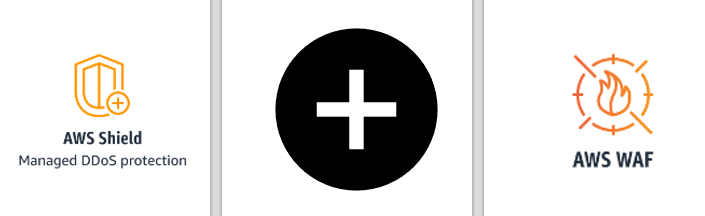
AWS also provides services such as AWS Shield, which provides protection against Distributed Denial of Service (DDoS) attacks, and AWS WAF, which helps you protect your web applications from common web exploits.
3. Encryption
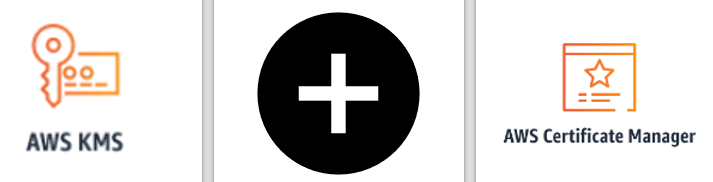
Encryption is an essential component of AWS security. AWS provides several services and features for encrypting your data at rest and in transit. For data at rest, you can use AWS Key Management Service (KMS) to manage your encryption keys and encrypt your data stored in Amazon S3, EBS volumes, and RDS databases.
For data in transit, you can use SSL/TLS to encrypt traffic between your resources and use AWS Certificate Manager to manage your SSL/TLS certificates. AWS also provides services such as AWS CloudHSM, which provides hardware security modules (HSMs) for protecting your encryption keys.
4. Monitoring and Logging
Monitoring and logging are crucial for identifying security threats and detecting and responding to security incidents. AWS provides several services and features for monitoring and logging your AWS environment.
AWS CloudTrail is a service that enables you to log, continuously monitor, and retain account activity-related events for your AWS resources. You can use CloudTrail to log events such as IAM user activity, AWS API calls, and changes to AWS resources.
AWS also provides Amazon GuardDuty, which is a threat detection service that uses machine learning to identify potential security threats in your AWS environment. You can use GuardDuty to detect activities such as unauthorized access, crypto mining, and malware.
5. Disaster Recovery and Business Continuity
Disaster recovery (DR) and business continuity (BC) are essential for ensuring the availability and resilience of your applications and data. AWS provides several services and features for DR and BC.
You can use services such as Amazon S3 and Amazon Glacier for data backup and archiving, and AWS Storage Gateway for connecting your on-premises applications to AWS storage services.
AWS also provides services such as Amazon Elastic Compute Cloud (EC2) Auto Scaling, which allows you to automatically scale your EC2 instances based on demand, and AWS Elastic Load Balancing, which distributes incoming traffic across multiple instances to ensure high availability and fault tolerance.
Conclusion
Securing your AWS environment is a shared responsibility between you and AWS. By following the best practices discussed in this article, you can enhance the security of your AWS environment and reduce the risk of security breaches and incidents. Remember to always follow the principle of least privilege, regularly review and audit your AWS environment, and stay up-to-date with AWS security best practices and services. With these measures in place, you can ensure the security, compliance, and resilience of your AWS environment and protect your data and applications in the cloud.
 Book Movie Technology Reviews Fitness Wellness Health Tips